
Purchase Order Automation is software that creates, tracks, and manages purchase orders automatically using real job and inventory data replacing manual entry, spreadsheets, and back-and-forth vendor emails. For print shops juggling dozens of jobs and vendors at once, this single shift in how procurement works can quietly save hours every week and cut down on costly ordering mistakes.
The Real Cost of Manual Procurement in Print Shops
Manual purchasing fails quietly, not dramatically. A staff member checks stock, writes up an order, sends it off, then moves on to the next task. Nothing tracks whether that order was confirmed, whether pricing matched the last quote, or whether someone else already reordered the same materials an hour earlier.
Over time, that shows up as:
- Duplicate orders nobody catches until the invoice lands
- Outdated vendor pricing sitting in a spreadsheet nobody's updated
- Jobs stalling on press because low stock wasn't flagged in time
- A messy month-end where invoices don't match what was actually ordered
- Staff losing hours to admin instead of production or sales
This is why so many print businesses are moving toward Purchase Order Automation instead of continuing to patch a manual process that wasn't built to scale.
What Automated Purchase Orders Actually Do Differently
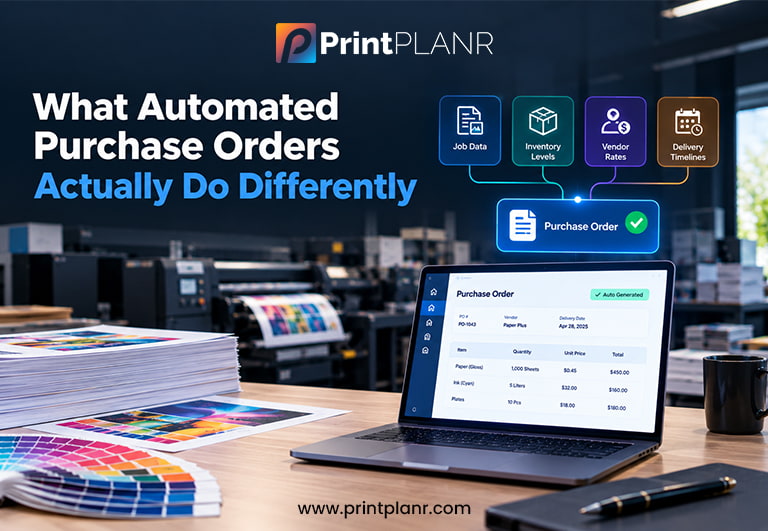
Automated Purchase Orders generate themselves from live job and inventory data, instead of requiring someone to build each order from scratch. The system pulls quantities, current vendor rates, and delivery timelines directly from the job record, and creates the purchase order automatically with no manual lookup required.
Inside a well-built Print MIS, this typically includes four core capabilities:
-
Multi-vendor support:
so one job can be split across several purchase orders when part of it is outsourced
-
Direct inventory linkage:
so stock updates automatically the moment an order goes out or arrives
-
Automatic reorder alerts:
triggered when materials fall below a set threshold
-
Standardized, editable templates:
keeping every order consistent and audit-ready
This combination is what most people mean by Procurement Automation in a print production context: purchasing decisions tied directly to real data, rather than scattered across inboxes, spreadsheets, and sticky notes.
How Procurement Automation Improves Turnaround and Cost Control
Procurement Automation shortens the time between confirming a job and getting materials on press, because purchase orders go out the moment they're needed rather than whenever staff get around to it. That single change has a ripple effect across the whole shop.
Pricing errors drop, since automated purchase orders pull rates directly from current supplier records instead of relying on memory or outdated files. Stock issues get caught earlier, because reorder alerts fire automatically instead of depending on someone noticing an empty shelf. Reconciliation stops being a monthly scramble, since every order, delivery, and invoice lives in one connected system instead of three different places.
And perhaps most importantly, staff time shifts. Hours that used to go into manually drafting and chasing purchase orders go back into vendor relationships, customer service, and production planning work that actually grows the business instead of just keeping procurement afloat.
Where PrintPLANR Fits In
PrintPLANR provides quality Purchase Order Software built directly into its cloud-based Print MIS for printing, promotional, and signage companies. Rather than treating purchasing as a standalone task, PrintPLANR connects Purchase Order Automation to live job data and inventory from the start.
Purchase orders are generated automatically from job requirements, tied to stock levels in real time, and tracked from creation through delivery whether you're restocking materials in-house or outsourcing part of a job to a vendor. The multi-order setup means a single job can involve several purchase orders across different suppliers, all managed in one place. For shops looking to move away from manual procurement without adding new software just for purchasing, this kind of built-in Automated Purchase Orders capability removes a major operational bottleneck.
Getting Started with Purchase Order Automation
Print shops don't need to overhaul their entire operation to benefit from Purchase Order Automation; the shift usually starts with connecting procurement to the data that's already sitting in job management and inventory systems. Once purchase orders are generated automatically instead of manually, most of the downstream problems duplicate orders, pricing mistakes, stalled jobs, messy reconciliation start disappearing on their own.
If procurement has been a recurring pain point in your shop, it's worth looking closely at how Procurement Automation could change that, starting with the purchase order process itself.